
The learning content is designed for anyone who wants to gain SAP knowledge in a simple, compact, and practical way. Our learning platform offers content for beginners, advanced learners, and experts. This enables you to expand your knowledge step by step and continuously develop your skills toward becoming an SAP expert.
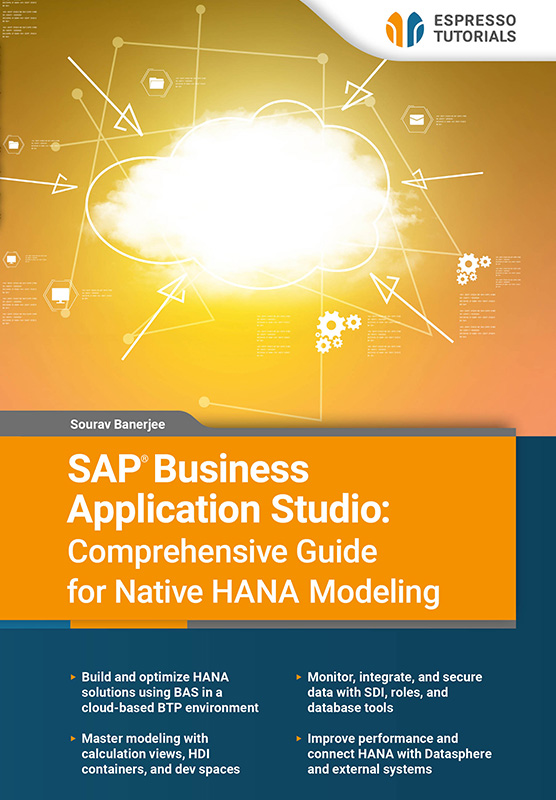
SAP Business Application Studio: Comprehensive Guide for Native HANA Modeling
Flat rate
$19 per month
Single license 1000+ eBooks and video tutorials Instant access 12 months($228per year) Automatic renewal
More Details
Unlock the full potential of SAP HANA development with this hands-on guide to SAP Business Application Studio (BAS). Designed for developers and data professionals, this book explores native HANA modeling in a modern cloud environment powered by SAP Business Technology Platform (BTP).
Learn how to set up your BAS workspace and progress to advanced modeling techniques. Build, manage, and optimize data solutions using real-world scenarios while working with tools such as HANA Database Explorer. Discover HDI containers for secure development and use dev spaces to streamline workflows without immediate deployment.
Explore key topics such as HANA Calculation Views, database monitoring, Smart Data Integration (SDI), roles and authorizations, reusable functions, and performance optimization. You’ll also learn how to integrate SAP HANA with SAP Datasphere and external systems for seamless connectivity.
Each chapter builds your skills step by step, with practical examples, insights, and a section to test your knowledge.
- Build and optimize HANA solutions using BAS in a cloud-based BTP environment
- Master modeling with calculation views, HDI containers, and dev spaces
- Monitor, integrate, and secure data with SDI, roles, and database tools
- Improve performance and connect HANA with Datasphere and external systems
Reading Example
2.1 Creating a subaccount
The first step when setting up BAS is to create a subaccount, which needs to be created against the main account in the BTP cockpit. A main account can consist of several subaccounts. It lets you manage your subscription, enable services, and deploy applications. It is important to note that subaccounts under a single global account are independent of each other.
Services available based on region
Every subaccount has to be hosted in a particular region. There could be one or many services that are enabled for each region (e.g., BAS is available in the US region). There are therefore restrictions in each region, and some applications may not exist in a particular region. It is important to be aware of the restrictions before creating a subaccount.
There is no restriction, however, to select a particular region based on your current location. If you are based in India, you can still host your applications in the US region.
A global account has a quota and an entitlement based on the service you purchase:
- Quota—this is the total memory that you purchase as part of your license.
- Entitlement—this is the service you want to purchase. It could be based on a specific service plan or tools.
Each subaccount needs to be enabled for a runtime environment. If you enable a Cloud Foundry environment, the system will create a Cloud Foundry org (organization) for which you create Space(s) to help you separate services. If you select a Kyma environment, the system will create a Kubernetes Cluster (multiple node machines—virtual or physical—that host containerized applications, managed and coordinated centrally). You can then create a Namespace to separate your services.
BAS is available in the US region, so you can create a new subaccount from the BTP cockpit by selecting US as the region. Name it BAS_DEMO. You only need to provide the subaccount name, description (usually free text) and the region. Figure 2.1 shows the subaccount which has been created under the global account for hosting our BAS application

Figure 2.1: Subaccount created
It only takes a couple of minutes to create a subaccount. The next step is to assign a service plan to your subaccount
Our products—whether books, videos, or online training—deliver SAP knowledge concisely and practically, so you can apply it directly in your daily work, even if you have limited time. You benefit from a broad coverage of relevant SAP topics, high-quality content in four languages, and learning formats designed to fit your individual needs. This ensures that you can stay up to date and continuously develop your expertise.
Our books are characterized by a clear practical focus and a compact, easy-to-understand presentation. We explain complex SAP topics concisely—without unnecessary marketing buzzwords—so readers can quickly grasp the essentials and apply the new knowledge directly.
Our print books can be returned within 14 days, in original condition. Return shipping is at your own cost.
We currently only ship books directly within Germany. If you are ordering from outside Germany, we recommend purchasing via Amazon. You can find the link by selecting “Buy eBook” on any product in our webshop and Amazon will then show you both the eBook and print versions available for purchase.
Alternatively, you can access all our content with a digital subscription, starting at $19 per month.
Our team is always happy to help and will respond to your questions as quickly as possible (usually within 1–2 days). You can also contact us if you have questions for one of the authors. Email: contact@espresso-tutorials.com

