The learning content is designed for anyone who wants to gain SAP knowledge in a simple, compact, and practical way. Our learning platform offers content for beginners, advanced learners, and experts. This enables you to expand your knowledge step by step and continuously develop your skills toward becoming an SAP expert.
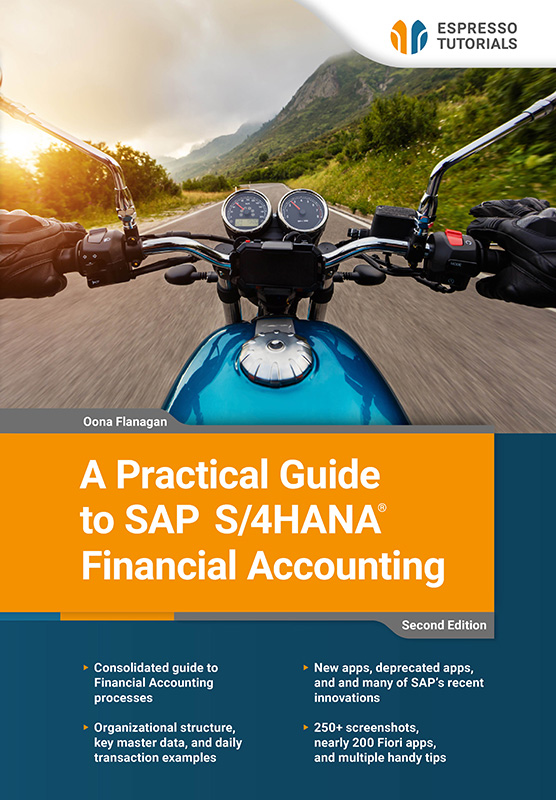
A Practical Guide to SAP S/4HANA Financial Accounting
Flat rate
$19 per month
Single license 1000+ eBooks and video tutorials Instant access 12 months($228per year) Automatic renewal
More Details
This updated second edition provides a clear and practical guide to Financial Accounting in SAP S/4HANA, based on SAP Best Practices and using SAP Fiori apps.
Aimed at both novices and existing users, this book covers how core finance processes work in SAP S/4HANA, placing each transaction in its proper business and system context rather than offering step-by-step tutorials. It reflects many of the recent changes in SAP S/4HANA, including new functionality and deprecated apps, and explains how to stay up to date as SAP continues to evolve.
Covering SAP Fiori basics, organizational structure, master data, General Ledger, Accounts Payable and Receivable, Banking and Cash Management, Asset Accounting, and Reporting, this book provides examples of key day-to-day transactions and also touches on aspects of Management Accounting.
With references to nearly 200 SAP Fiori apps, more than 250 screenshots, and a multitude of useful tips, this book is an ideal guide for finance professionals, consultants, and managers who want a clear understanding of how SAP S/4HANA Financial Accounting works—whether new to SAP S/4HANA or looking to expand their existing knowledge.
• Consolidated guide to Financial Accounting processes
• Organizational structure, key master data, and daily transaction examples
• New apps, deprecated apps, and many of SAP’s recent innovations
• 250+ screenshots, nearly 200 Fiori apps, and multiple handy tips
Reading Example
2.1.2 Searching for an app
If you have used an app recently, you can see it in Recent Activities when you click on the profile button. There is also a handy search option at the top right of each screen , where you can specify where to search, as well as what to search for. I use it mostly to search for apps, but you can search for anything here. The search is sometimes referred to as the enhanced search, because as you type, the system already searches using that part of the word. I have also seen it called the enterprise search, as it searches across everything. You can use the dropdown to restrict the search to a specific area such as apps, specific master data, types of documents, etc.
Dropdown
When I use the term dropdown, I refer to the button on the right of a selection field. When you click on this button, the system will give you a list to choose from or take you to another screen where you can enter various search terms or a condition to find what you are looking for. There is a calendar button for date fields.
In Figure 2.3, I searched All for the number 12345, and the system returned 182 entries with that reference, split by the categories on the left, which I could filter further with the filter button . I searched in a test system, so that particular reference was used a lot! You can restrict the search to different categories, such as apps, master data, transactions, orders, quotes, etc. using the dropdown (by the arrow). I have since turned on the Personalized Search (in the settings under my profile) and selected Apps. Now, instead of All, the enhanced search defaults to My Favorites, which in my case reduces the search scope to Apps.

Figure 2.3: SAP Fiori enhanced search
Home screen
Earlier versions have a small house-shaped button at the top left to return to the home screen, but newer versions simply have the SAP logo as the home button.
Our products—whether books, videos, or online training—deliver SAP knowledge concisely and practically, so you can apply it directly in your daily work, even if you have limited time. You benefit from a broad coverage of relevant SAP topics, high-quality content in four languages, and learning formats designed to fit your individual needs. This ensures that you can stay up to date and continuously develop your expertise.
Our books are characterized by a clear practical focus and a compact, easy-to-understand presentation. We explain complex SAP topics concisely—without unnecessary marketing buzzwords—so readers can quickly grasp the essentials and apply the new knowledge directly.
Our print books can be returned within 14 days, in original condition. Return shipping is at your own cost.
We currently only ship books directly within Germany. If you are ordering from outside Germany, we recommend purchasing via Amazon. You can find the link by selecting “Buy eBook” on any product in our webshop and Amazon will then show you both the eBook and print versions available for purchase.
Alternatively, you can access all our content with a digital subscription, starting at $19 per month.
Our team is always happy to help and will respond to your questions as quickly as possible (usually within 1–2 days). You can also contact us if you have questions for one of the authors. Email: contact@espresso-tutorials.com

